Building a Data-Grid for Industrial Context Products
Introduction
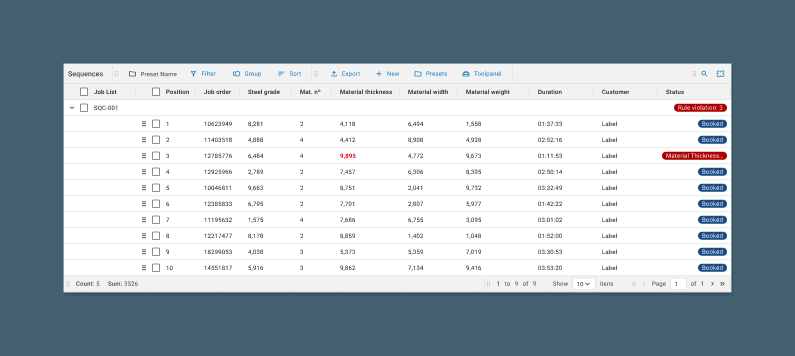
During the development of an application to manage and monitor real-time manufacturing operations on the factory floor (MES or Manufacturing Execution System), the need arose to develop a robust data-grid component with advanced functionalities such as viewing and manipulating large volumes of data. The data-grid also needed to have other basic functionalities, such as sorting, filtering, and column grouping.
Challenge
The biggest challenge in designing the component was balancing functionality and usability. On one hand, the data-grid required several built-in functionalities and a high level of customization for data visualization and editing. On the other hand, there was a need to keep the interface intuitive and accessible, even for users without advanced technical expertise. Additionally, we faced challenges related to the component's performance and ensuring it was reusable across new products, with plans to integrate it into our design system in the future.
Research and Benchmarking
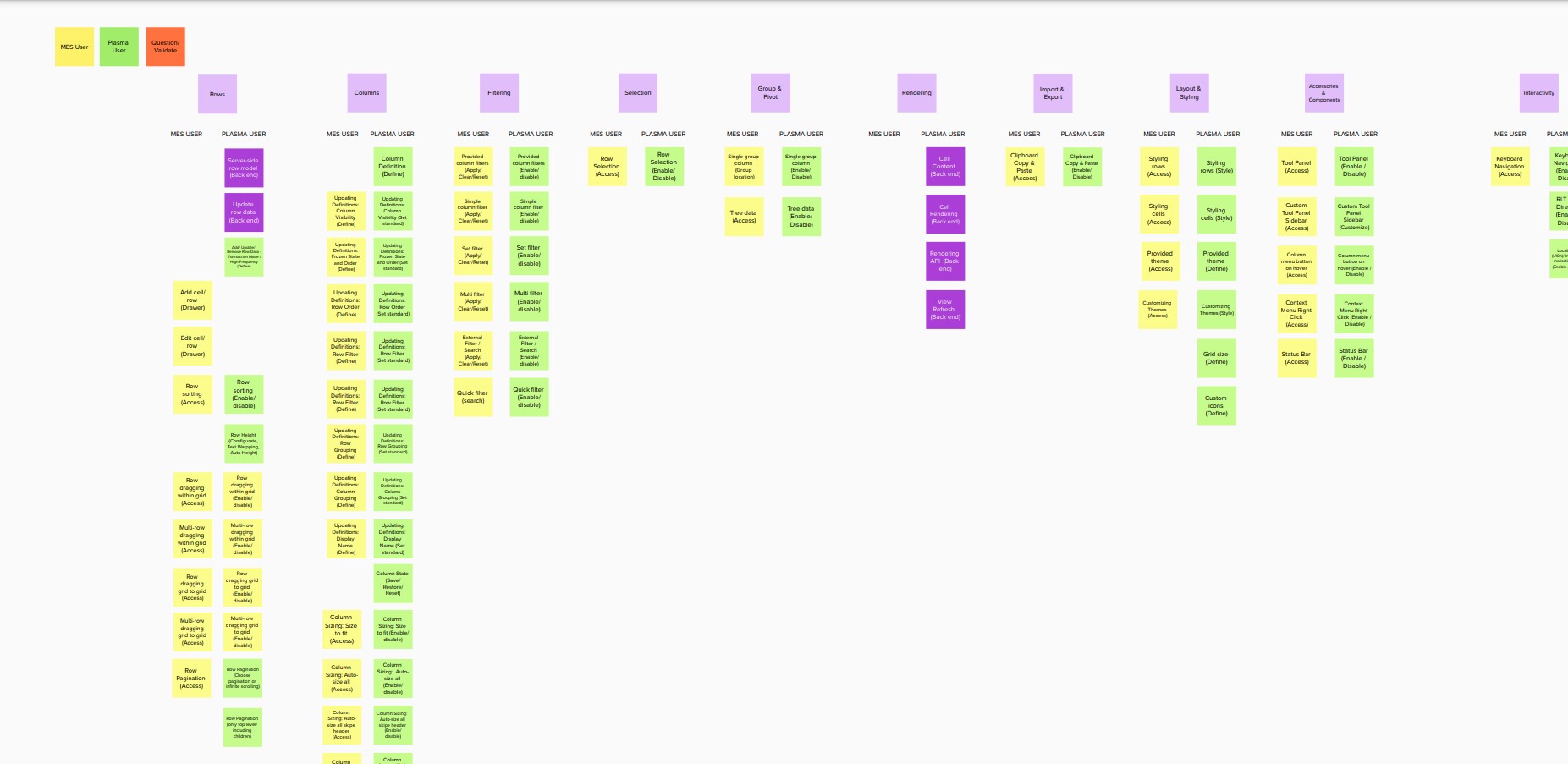
The first step was to conduct a session with stakeholders to define the functionalities and configurations that would be implemented, distinguishing between those exclusive to the MES product and those that would be part of the component integrated into the design system.
During this structured discussion, some functionalities emerged that had not been mentioned in earlier conversations, such as the ability to save configuration presets for
the data-grid and the option to pin columns.
Following this, we began a benchmark analysis of existing data-grids in the market, such as Ag-Grid and
Handsontable, evaluating their strengths and weaknesses. Between the two, Ag-Grid became the primary reference for our first version,
especially for filtering and grouping functionalities.
Prototyping and Componentization
With the requirements in hand, we distributed the functionalities and determined their placement relative to the data-grid. We then moved directly to prototyping, as we already had a design system with well-defined basic components and other patterns. We proceeded with high-fidelity prototyping using the existing design system.
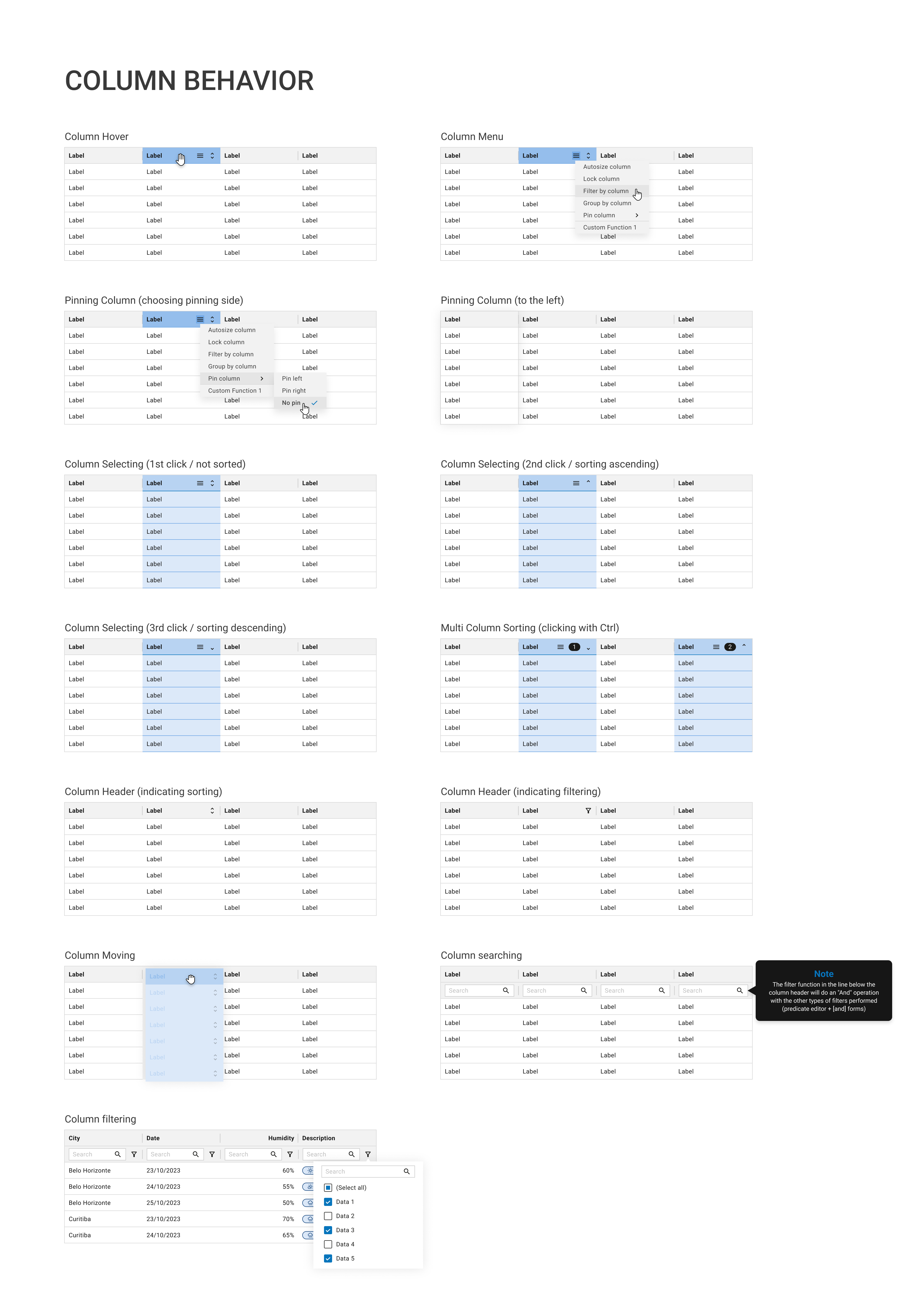
We started the prototypes by defining the most basic interactions for the table cells, including cell selection and row selection. We also defined the possible interactions and functionalities for the table header and the table pagination modes.
After defining these basic functionalities, we moved on to more complex features such as filtering, sorting, and grouping. We decided to centralize these three functionalities in a data-grid configuration panel, alongside the pre-defined configurations.
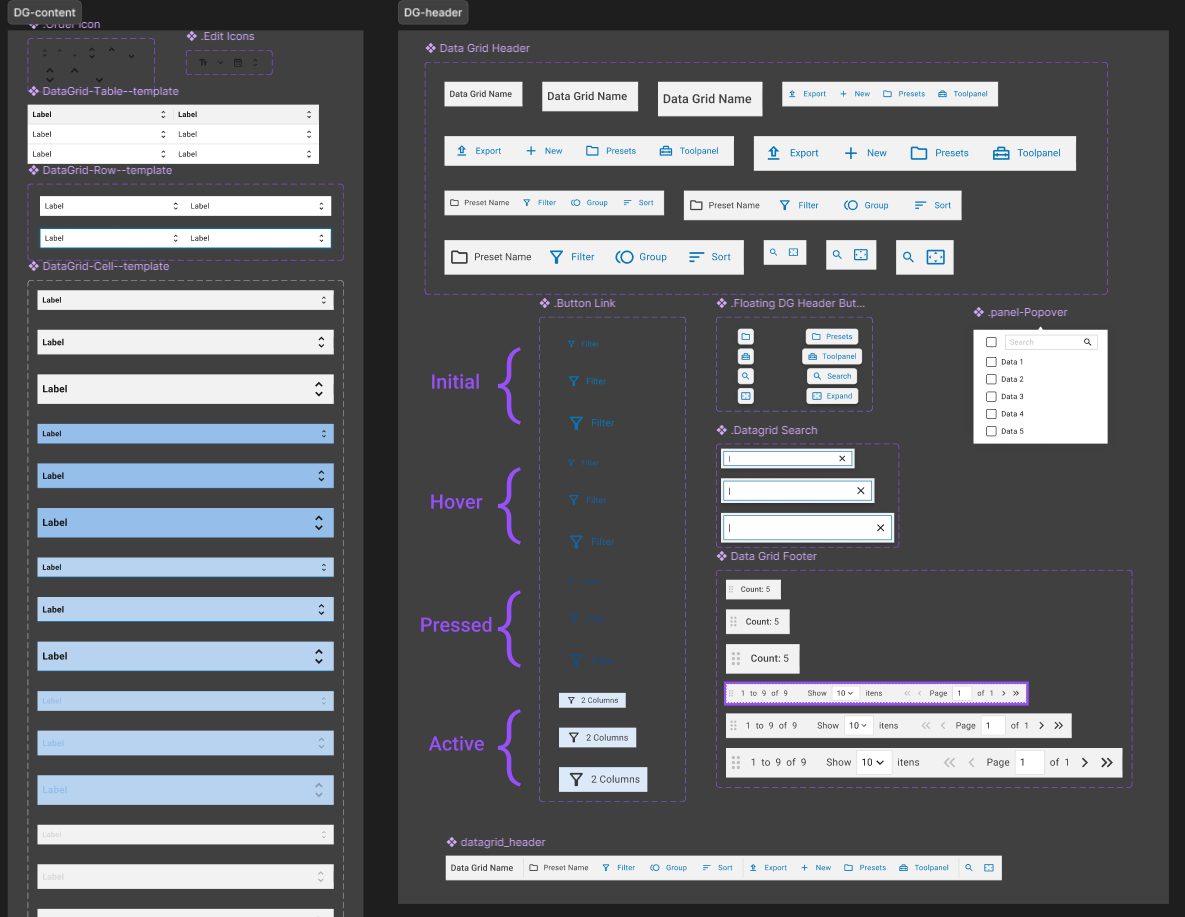
In parallel, we also defined the construction of the components that would make up the data-grid. We chose to break the component into smaller subcomponents, such as the cell, header, footer, and the filter, sorting, and grouping panels.
With the prototypes ready, we held another meeting with stakeholders and made some adjustments, particularly to the filter, which now needed to be a logical and more comprehensive filter.
Results
After development, the data-grid component was integrated into Plasma UI, the design system of Vetta in collaboration with SMS Digital. Other teams began using the component, which initially provided a standardization of basic interactions involving tables. Currently, about 70% of the products using Plasma UI utilize the component.
We also maintained open communication with the designers and developers using the data-grid to add new features and address potential corrections.